
On this journey to build Lazyweb, the thing that’s been bugging me most is the landing page.
While in bed yesterday, I was thinking about the simplest, clearest way to explain Lazyweb on a landing page.
So I woke up today with a “new day, new experiment” mentality.
The experiment was simple: how fast can I take this seedling of an idea I had in the middle of the night and…
Translate it into a design
Build it
Publish a new website with different hosting and infrastructure
Write about it
The answer: 5.5–6 hours.
TL;DR of my day so far:
8:30: Put the idea into Figma
9:00: Fired up Cursor
10:20: Desktop UI ready
11:15: Mobile design ready
12:00: Added more examples and polish
12:15: Hooked up the backend
12:30: Published site to Render (ran into hosting + SSL certificate issues)
2:30: Pressed send on this post
Old vs. new landing pages
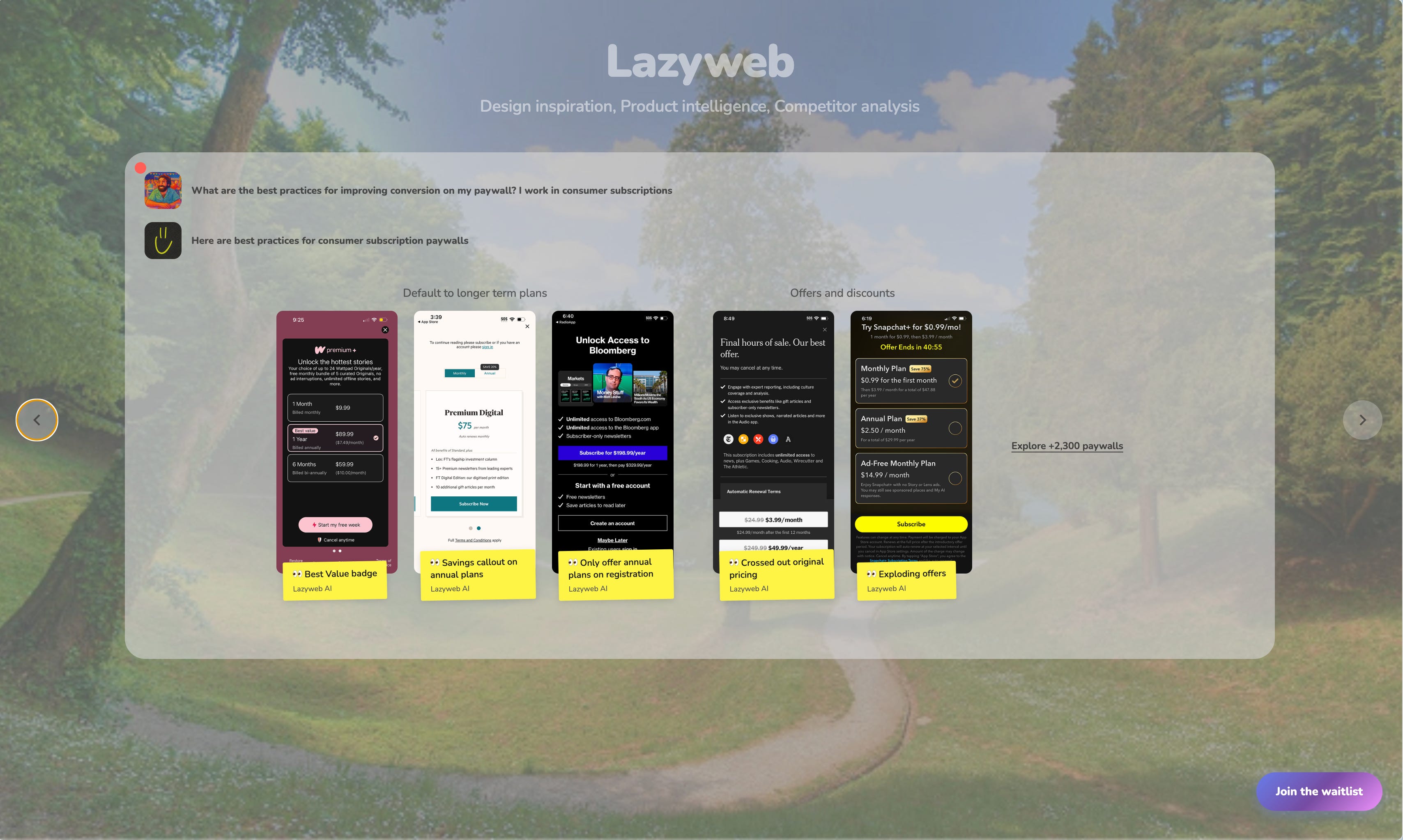
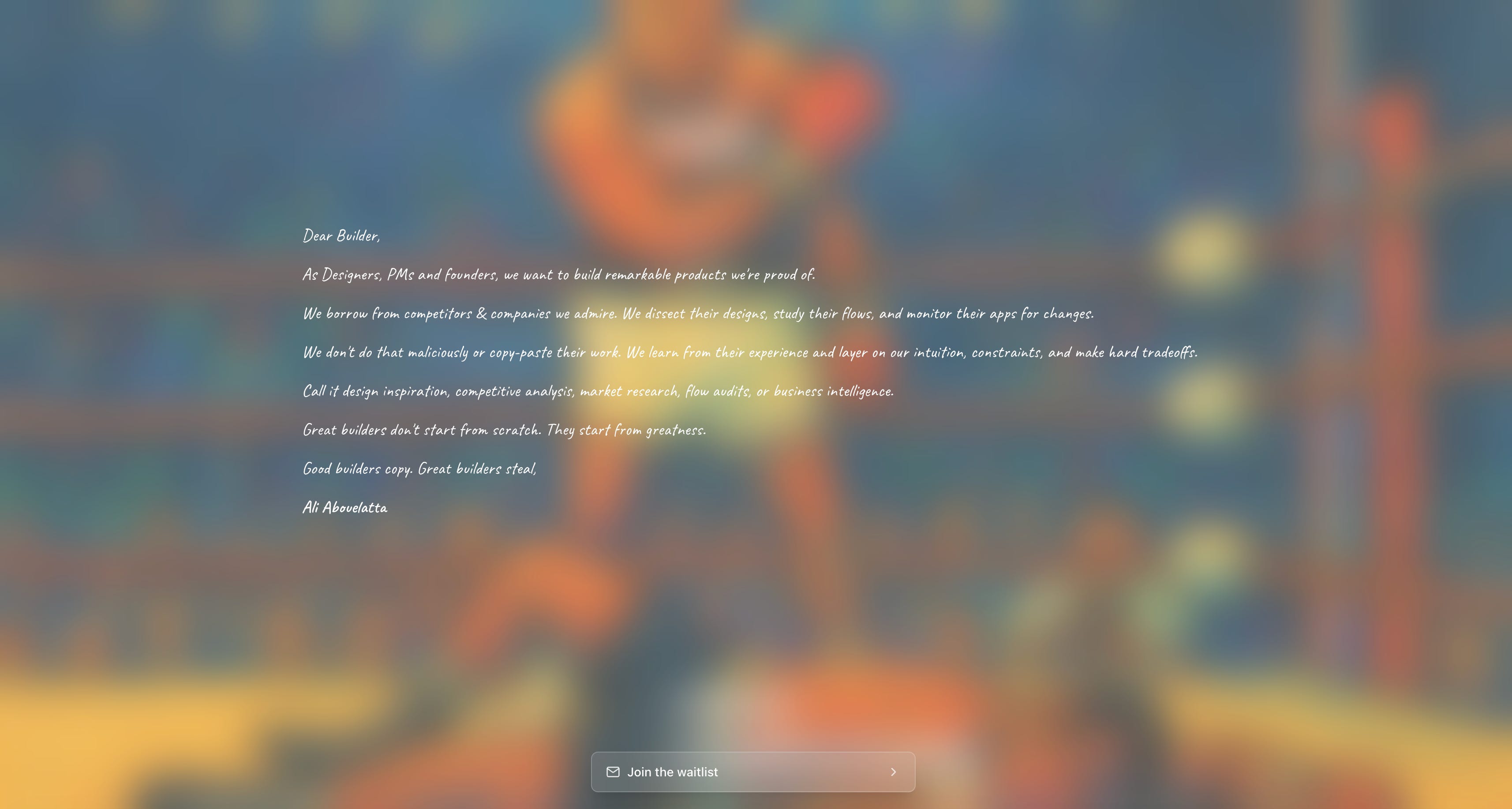
For reference, the first version of the landing page took 20 hours of work, and was much simpler, design-wise.
Until very recently, doing frontend work with AI has been the bane of my existence. I needed to learn how to reliably steer AI toward good, consistent frontend code.
Making AI great at design tasks
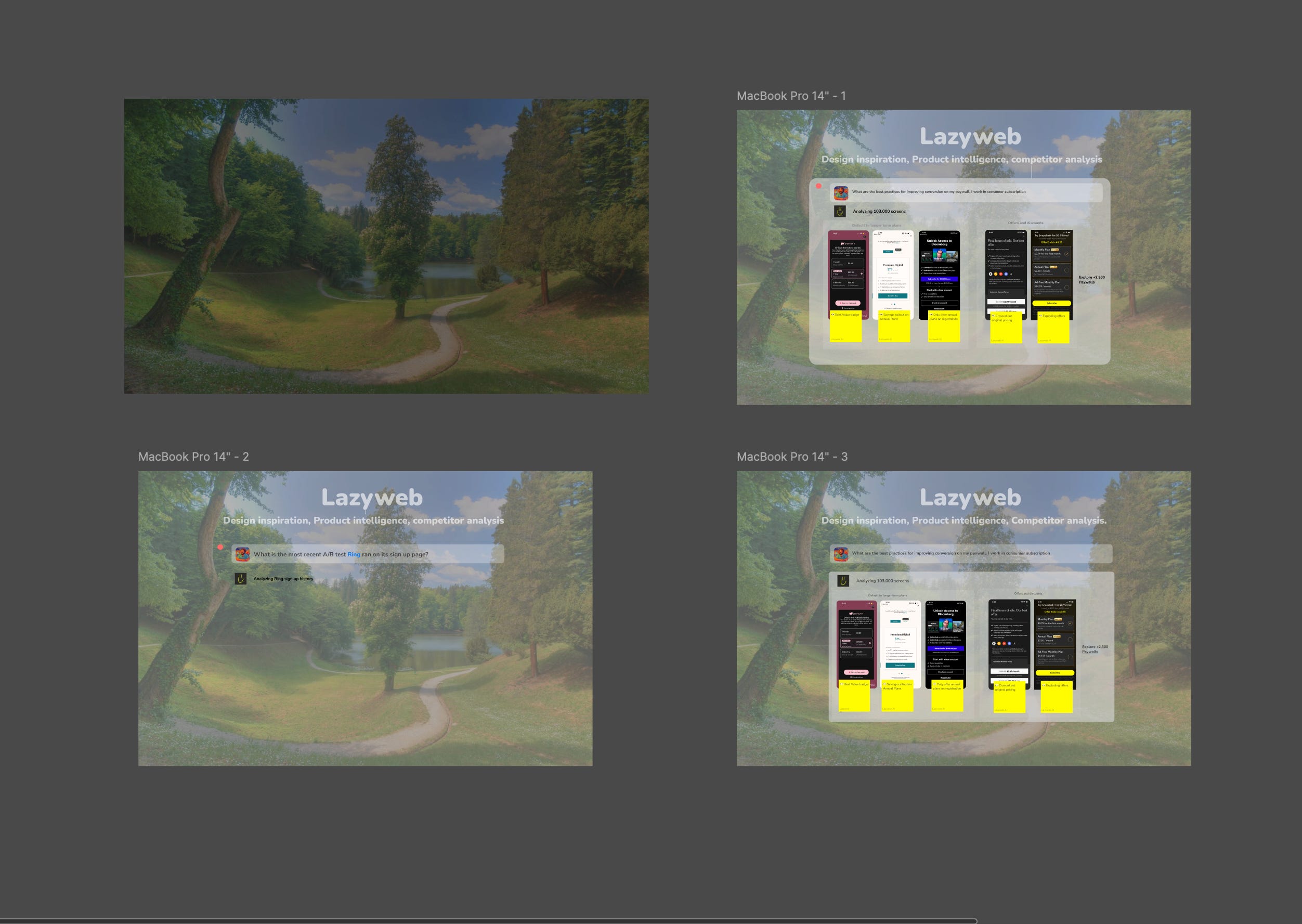
Share progressive references
For each prompt, share a progressive version of the UI.
Sharing the end product upfront confuses my friends: Opus 4.5 and GPT-5.2 High.
One at a time. No shortcuts.
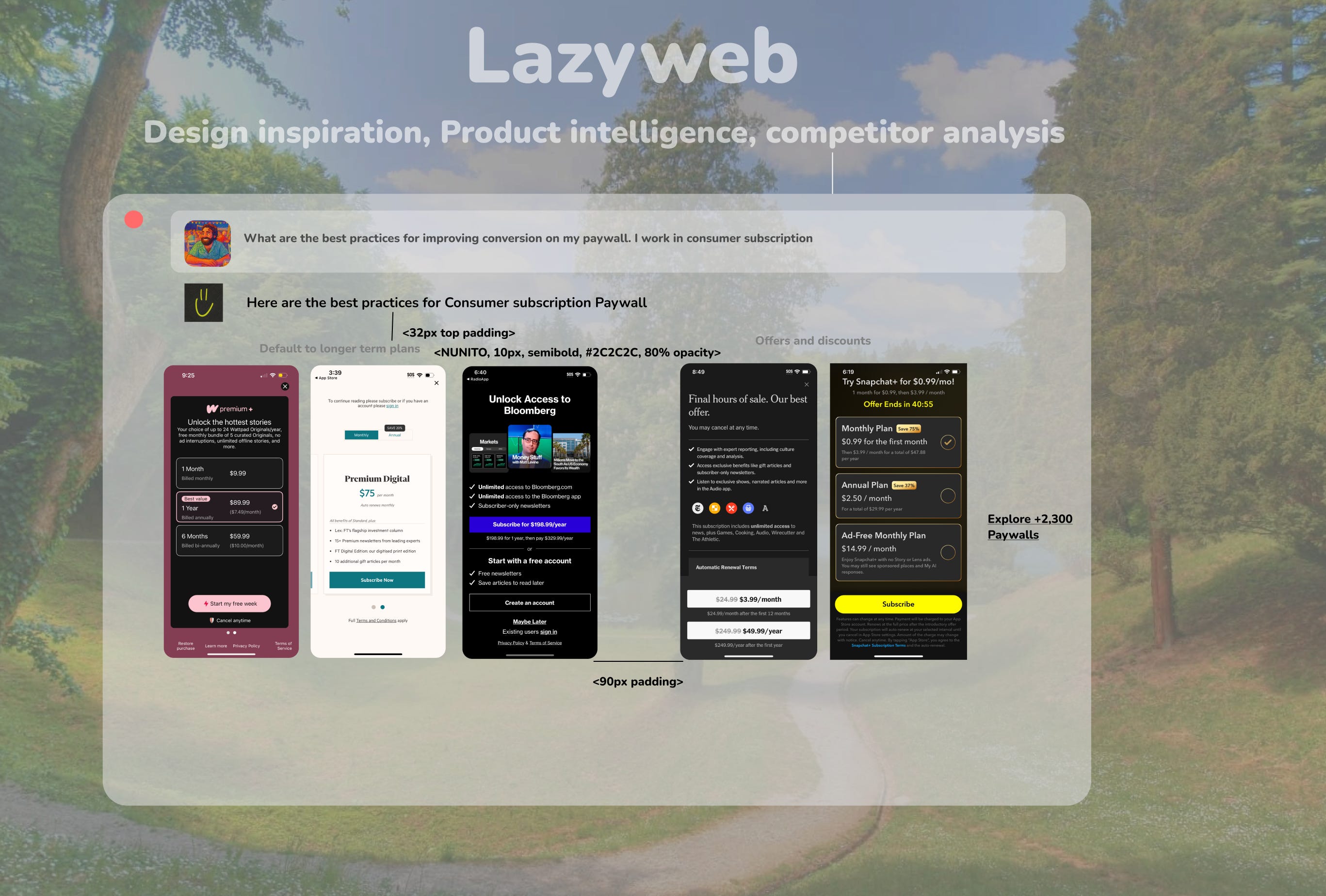
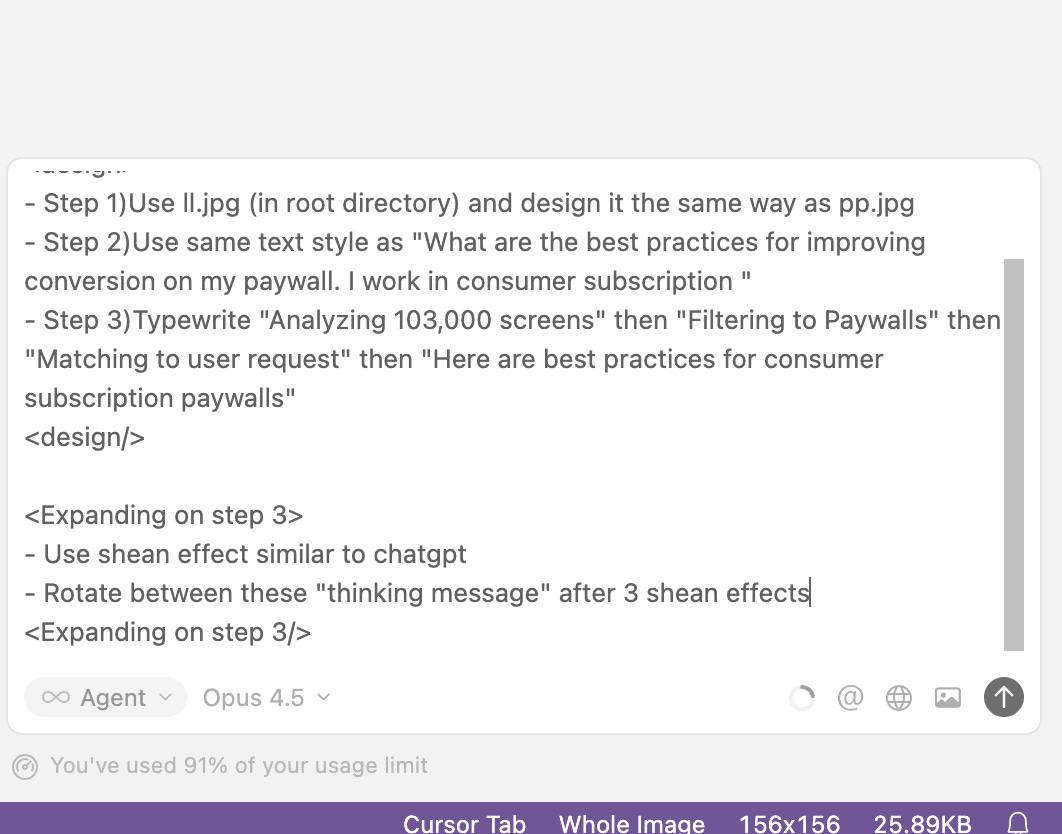
Annotate the screens using <tags> and attach them to prompts
This helps remove ambiguity from prompting. Everything makes more sense when we can see it and feel it.
Same with the AI.
Use XML for prompts longer than a couple of sentences.
First, it adds structure to my thinking.
Second, it makes it easier to go on tangents, since I can reference a specific thing I said and expand on it. Then Opus and GPT can still track when a tangent begins and ends.
Plan Mode for every design task
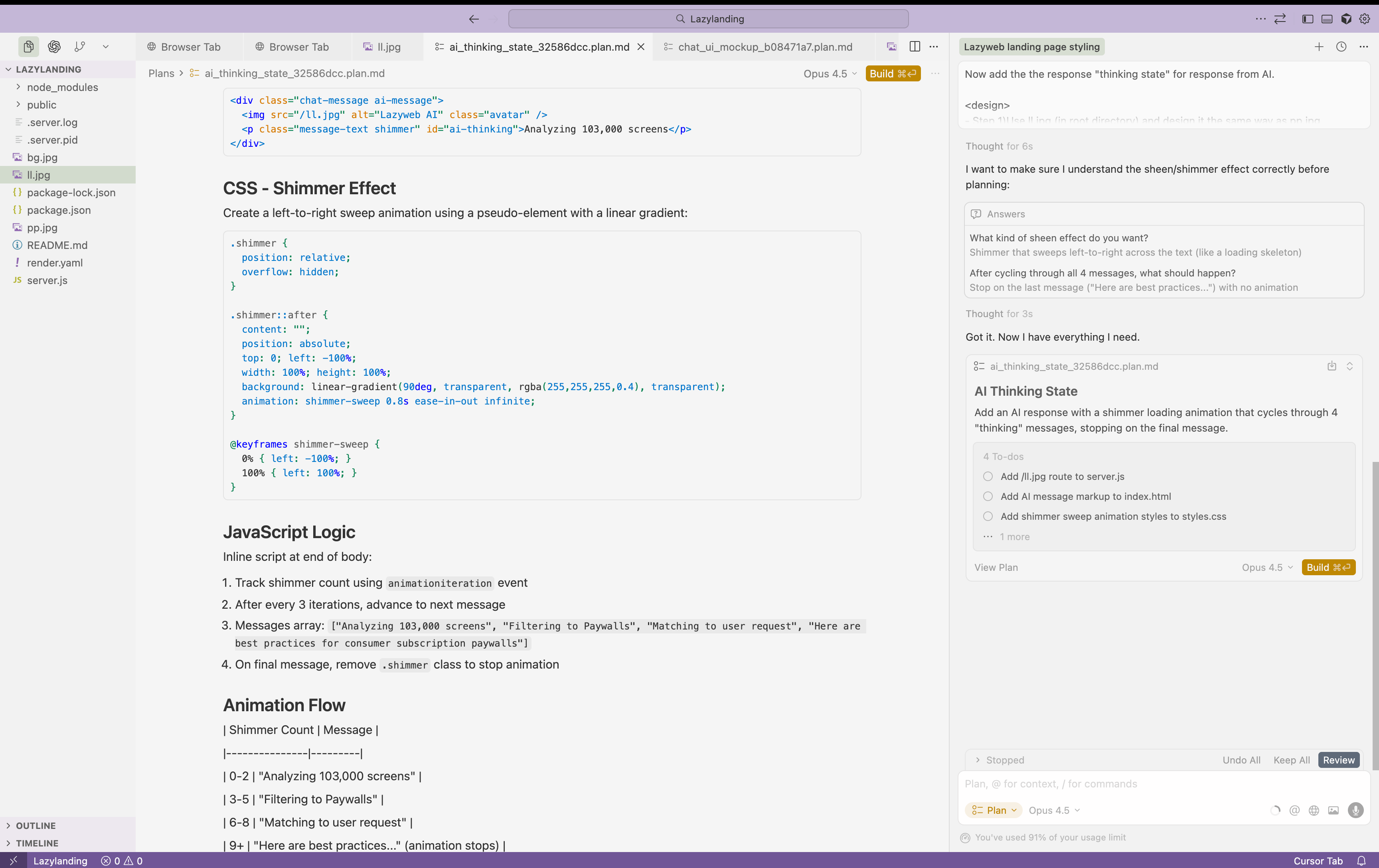
Plan Mode is great for resolving ambiguity because it allows the AI to ask clarifying questions.
Since I have two sources of truth while designing the frontend (screenshot + prompt), Plan Mode helps steer the AI instead of letting it guess.
Some food for thought from this micro-experiment
What stuck with me is this: a landing page that would’ve taken me a week in 2022, and 2–3 days just a few months ago, now takes a few hours.
What I’m coming around to is that more freed-up bandwidth means more creative, weird, and out-of-the-box things will exist in the world. And generally, the bar for software will only go up from here, not down.
What is the opposite of the AI slop?
To me, AI is not making everything generic and cheap. It’s doing the exact opposite: AI empowering human greatness by allowing them to spend their valuable effort and mental bandwidth on the things that matter the most to their end users.
It’s builders with taste moving faster, shipping weirder ideas, and pushing the boundaries of what software can even feel like.
And honestly… that’s the part that’s exciting.
This is it for today.
Ciao,
Ali Abouelatta