
Agentcat is a company I fell in-love with quickly when I met the founders during the current A16z Speedrun 007 cohort.
I am user, a fan of the product and the people behind.
MCPs are black boxes; you don’t rlly know what the context of which and how people are using it.
I have the battle scars since Lazyweb is an MCP first product. I tried to rollout our own instrumentation…it is very hard, very noisy and not really what I want to spend my time doing, so when I discovered Agentcat I was delighted…it was exactly the product I needed at this point in time.
MCPs have many names like Chatgpt Apps, Codex Plugins, Claude connectors or just good old MCPs. I run my email, analytics, editing, publishing, email marketing, even HR all through MCPs connected to Codex or Claude.
I’m yet to find a founder in A16z’s Speedrun who prefers to use a web app for a tool that has an MCP...once you get used to running all your SaaS tools headless via MCPs there really isn’t going back.
Today, Kashish, one of the cofounders of Agentcat, will walk us through the MCP 101 primer. What it is, current state of MCP,s and some tactical advice on how to rollout your own....all the pitfalls that he has seen companies do from behind the scenes at Agentcat.
Before cofounding Agentcat, Kashish ran product teams at Superhuman and Zynga! He is awesome (:
Now off to you Kashish 🫡
--
Millions of people use MCP daily, and none of them realize it
I spend most of my week talking to companies that run their business on MCP. Here’s a secret: half the people building on it would struggle to explain it at a dinner party.
I wanted to demystify this confusing three-letter acronym and how it’s secretly powering every Claude Connector, ChatGPT Plugin, and Cursor integration you’ve used this year.
What is MCP?
MCP stands for “Model Context Protocol”. Catchy, I know.
To understand what it is, let’s first rewind to late 2024. Every company is building its own agent into its product.
And then, at the same time, everyone building an agent realizes, “Okay, wait…but how do we make it actually DO stuff?” To solve that, they started building an integration between their agent and Gmail. And Slack. And GitHub.
But the problem is, every company builds its own custom integrations with every other product. That’s not scalable. So some smart engineers got together and said, “What if we built a single protocol for how agents talk to other tools? And we can call it something super easy to remember… like Model Context Protocol!”
MCP became popular because companies realized that with just one type of integration, they could connect their agents to hundreds of tools. Rather than trying to build their own proprietary system, they could just adopt one standard and not have to worry about anything custom.
What runs on MCP today?
The short answer: a lot more than you probably realize. Today, every Claude Connector, ChatGPT Plugin (their new name for ChatGPT Apps), and Cursor Plugin all run on MCP.
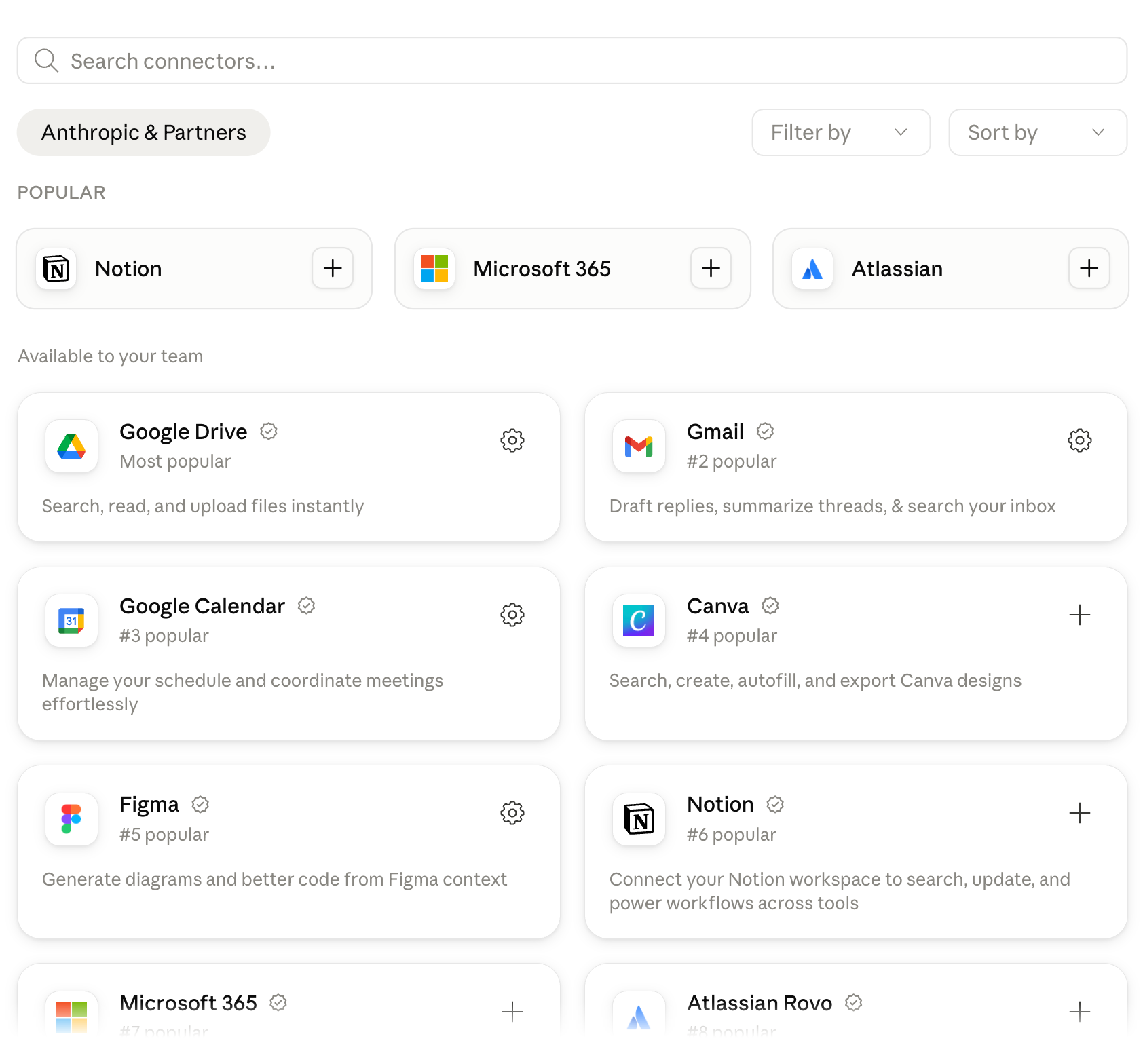
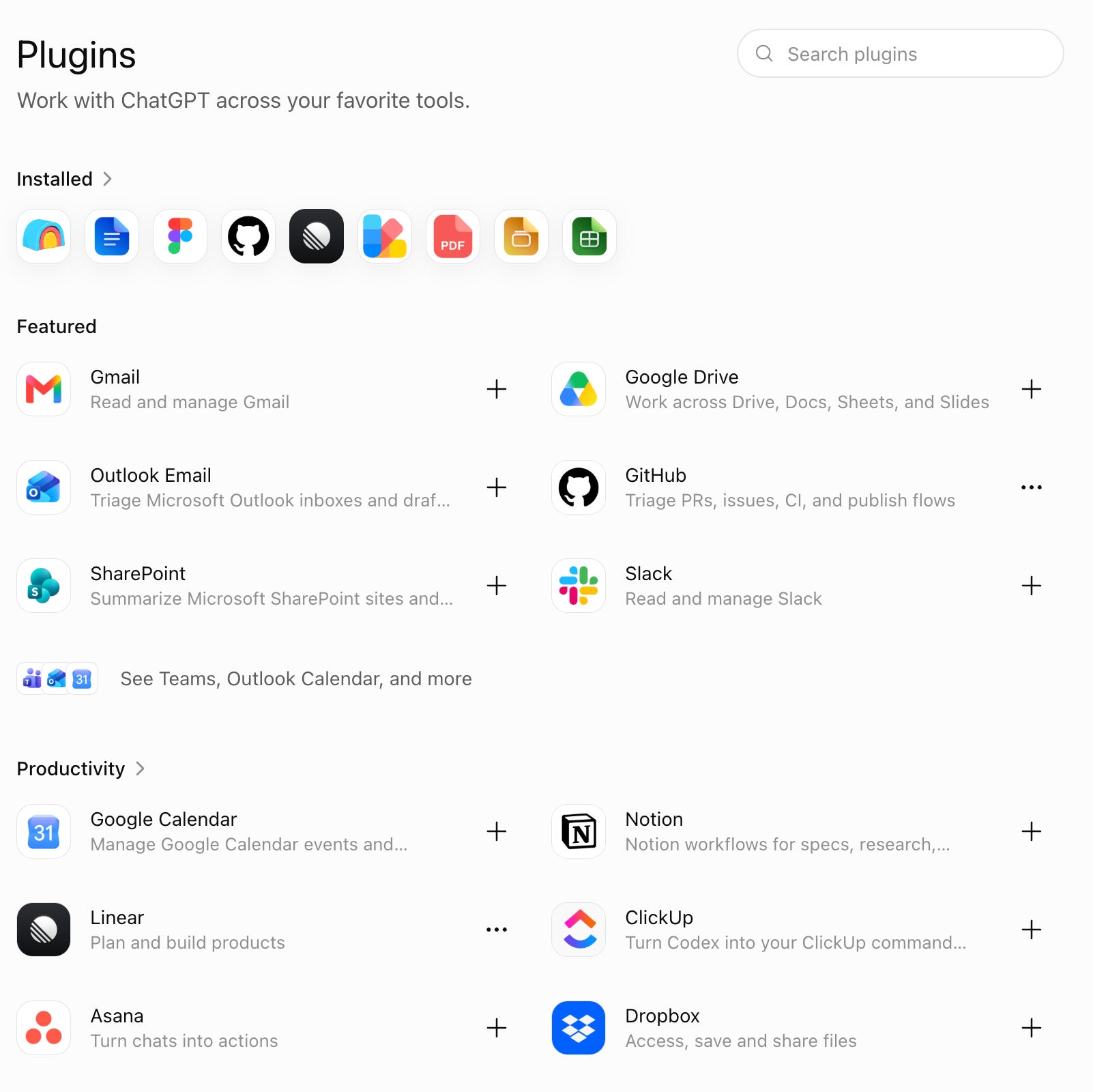
Claude Connectors (left) and ChatGPT Plugins (right) are all built on top of MCP.
Calling all of these MCP servers probably isn’t sexy enough to the average Claude or ChatGPT user, so it’s no surprise the labs invented their own marketing terms.
But these connectors and plugins get millions of users every day. It’s easy to see why. Even the simplest but most useful tasks require connecting the agent to your data:
Connect it to Gmail and ask it to automatically draft a response to every new email based on what they’re asking.
Connect it to Google Calendar and ask it to summarize all your meetings every day.
Connect it to Linear and ask the agent to automatically prioritize tickets as they come in.
The possibilities are endless and limited only by your creativity and what products already have available MCP connectors.
So is MCP growing?
A ton. Just last month, the MCP SDKs (what you use to build an MCP server) had 400M downloads. There are over 9,000 MCP servers published in the official registry. And thousands of companies have built MCP servers and are starting to get more traffic to their MCP servers than to their actual UIs.
Through AgentCat, we get a window into what customers with the biggest MCP servers are seeing in their usage. Some customers are seeing their MCP usage triple monthly. Some customers are even discovering new use cases that weren’t possible before, that are now super common with their MCP server.
And the protocol is still evolving.
Just a few weeks ago, the team maintaining MCP (a bunch of cracked engineers at companies like Anthropic, OpenAI, GitHub, Google, etc.) published their biggest update to the protocol, improving things for the thousands of companies building MCP servers.
If you want to read the full list of everything changed, there’s an awesome blog post from the maintainers. But here are some of the highlights:
Everything is stateless. The old protocol worked kind of like a phone call between the agent and the MCP server, where the server had to remember the agent throughout the conversation. Hard to scale to millions of simultaneous conversations. Now it works like a postcard, and servers can tackle incoming requests in parallel and very quickly scale up to meet increased demand.
Authentication got an upgrade. Now signing in is standardized and how it’s done across all other apps (OAuth 2.1). Companies can approve an MCP server, and all employees can get access immediately. And it works with existing identity systems like Okta and Google Workspace.
Servers can render interactive UI in the chat window. For example, if you ask your agent to design something in Canva, it can actually show you what it designed right into the chat window, no need to switch to Canva. Really cool for data visualization and other tasks where a picture (or graph) says a thousand words.
What still sucks about MCP today
There’s still a lot to improve.
Servers fail silently, and users don’t realize it. A user can get logged out, a permission prompt gets missed, or an error crashes the server. There’s no good notification system to reconnect the server.
People blindly approve tool calls. It’s just like accepting the terms when signing up for a website. People start to see a request for every tool call, which makes it easy to click “Always allow” on autopilot. Something better would be setting tool permissions once when setting up the MCP server, so read-only tools are always allowed.
Errors aren’t properly sent to the agent. If an MCP server hits an error, the agent sometimes sees a “success” message with the wrong information or just a blank error with no additional information. It’s part protocol quirk, part growing pains.
A lot of these issues and more will get resolved in the upcoming updates to the protocol.
The 7 rules for shipping an MCP server with real users
So you want to ship an MCP and get actual users. We’ve built dozens of servers and advised on hundreds more for all kinds of companies. Here are our guidelines based on mistakes we frequently see developers making:
Use a good stack to start. Use the official MCP SDKs in your preferred language. If you already have an API, use Stainless or Speakeasy to generate the first draft of your MCP server (but remember that’s just a starting point, see #2 below). And use WorkOS AuthKit or Stytch to handle auth.
Build tools based on jobs, not API endpoints. One of the biggest pitfalls people make today is taking their API, mapping each endpoint to a tool, and then shipping that. This results in 50+ tools and agents getting confused. And it’s just a bad user experience since each tool call is another round trip for the agent.
Write tool descriptions like onboarding docs, not change logs. Assume the agent is reading each tool description for the first time. Don’t reference previous approaches or other things you’ve tried or even other tools (unless it makes sense!).
Separate read-only tools from write/edit tools, and annotate them. This makes it easier for users to “Allow all read-only tools” in their agent, which reduces the friction to start getting value from your MCP server. And having clear, accurate, and granular tool annotations is now required if you want to submit your MCP to Anthropic’s or OpenAI’s stores.
Write error messages for the agent, not for a log file. Agents will often use error messages to understand how to retry or take a different approach. If your error message is confusing or unclear, they’ll give up.
Submit to Anthropic and OpenAI, but be prepared to wait. There’s no SLA, and the labs are figuring out a good submissions process while dealing with an influx of interest. Just make sure to follow each lab’s rules and guidelines for submissions and wait to get approved. There’s no cheat code to jump the queue.
Set up monitoring from day one. Agents are finicky, and even if you follow all these steps, it’s still hard to know what they’re doing and when they’re getting stuck. We built AgentCat to solve this exact problem, so give us a try for free at agentcat.com.
Building an MCP server has never been easier, and you can see success stories (like lazyweb!) that show you that users are eager to connect their agents to other tools to make their lives easier and more productive. Excited about the future of MCP and where things will be in a year!
Best,
Kashish Hora, Co-founder @ Agentcat